


Google Maps is great, and Waze is even better when I need up-to-date road-condition information. Between road reports and effective rerouting, it makes getting where I want to be exceptionally easy. But a navigation app is more than that. Whether it relies on a constant data connection or collects more information about me than I’m willing to share.
So, lately, I’ve been experimenting with a few alternatives. It’s hard to replace Waze with a single app. Waze is popular because it works so well, especially with Android Auto. But that doesn’t make the alternatives any less appealing. I was looking for apps that offered better offline navigation, gave me more control over my data, and offered features that mainstream apps didn’t. Here’s my experience using Organic Maps, OsmAnd, Magic Earth, and CoMaps over the last few days.
Organic Maps
Download entire cities, states, or countries instead of drawing map regions
I’ve written about Organic Maps a few times, and for good reason. The app is good, very good. Built on OpenStreetMap data, the app lets me download offline maps to my phone and provides turn-by-turn navigation without an internet connection. It also works with Android Auto, so you can use those offline maps in your car too.
That offline capability, and more specifically, the way it manages offline downloads, is what sells it. Unlike Google Maps, which makes you draw rectangles on a map and hope you’ve captured the entire region you wanted, Organic Maps lets you grab countries, states, and cities. This is, in my opinion, literally how every app should do it. The app is more flexible too. It can get me to my destination, and if I’m going for a hike, I can grab my phone and load up a GPX or KML file for trail guidance.
That makes it useful in more ways than one. There’s the privacy angle too, of course. Organic Maps claims to have no trackers. It also has no ads or account requirements. On the flip side, the app offers basically no traffic information. So if you live in a city where traffic conditions matter when deciding when to head out, Organic Maps won’t cut it.
OsmAnd
Detailed offline maps make it more than a Waze alternative
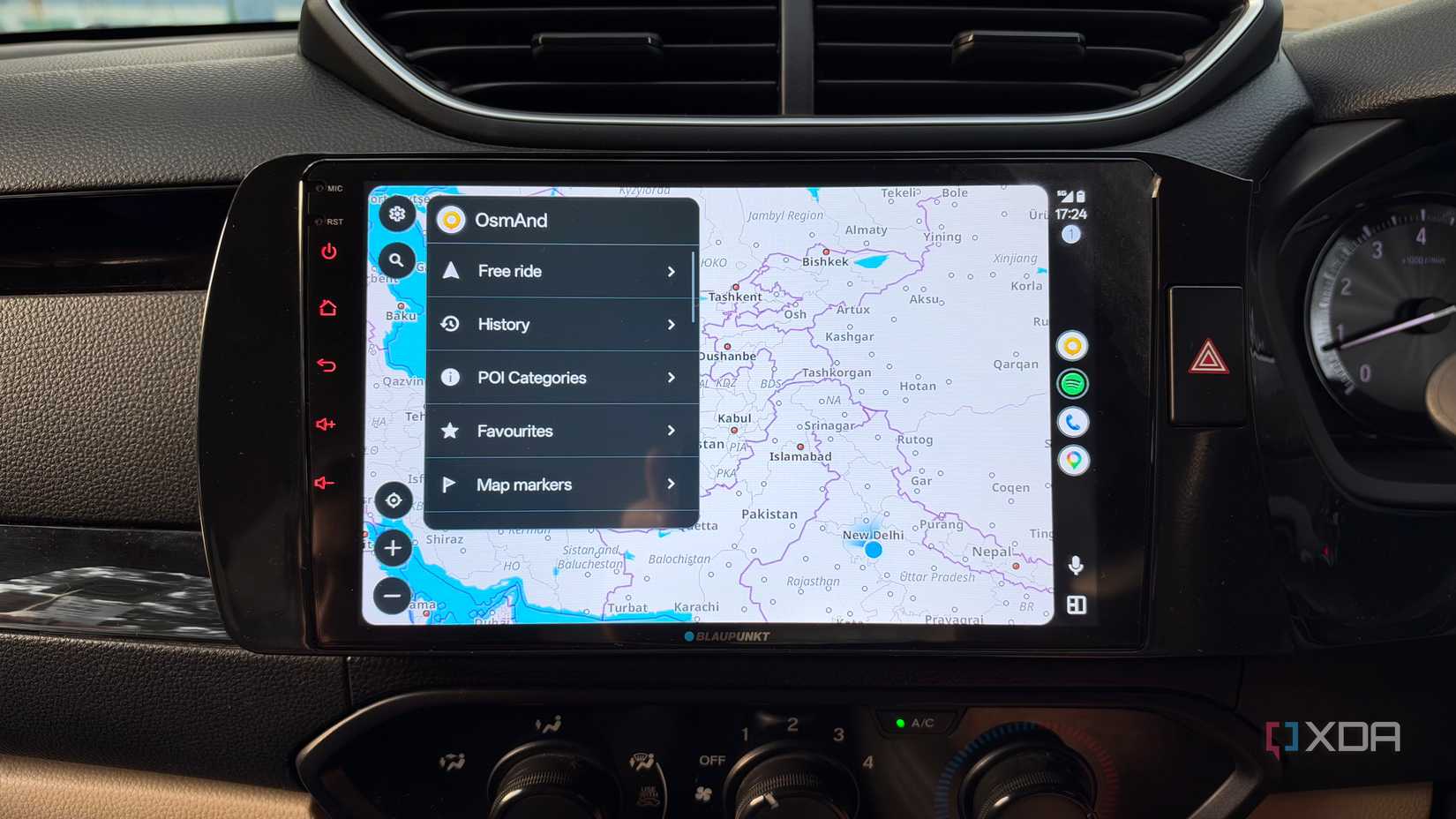
Like Organic Maps, OsmAnd is a particularly interesting app. It takes that same offline-first approach but gives you much more control over the actual navigation experience. The offline maps offer much more detail, and alongside turn-by-turn navigation, I found OsmAnd much better at lane guidance, showing me my speed.
OsmAnd also lets you pull in GPX tracks and excels at helping you curate a more bespoke route itinerary. While practically every mapping app lets you add in multiple points of interest for turn-by-turn navigation, I like OsmAnd’s ease of access and interface.
The app also specifically focuses on keeping maps offline as much as possible, to the point that it’ll constantly alert you to download a map for your local region. That may rub you the wrong way, but it wasn’t an issue for me. Finally, the app strongly emphasizes privacy, supporting most navigation functions without sharing your location information. That said, many advanced functions, including Android Auto, are locked behind a subscription paywall. So, if you’re looking for a free Waze replacement, this one won’t cut it.
Magic Earth
Combine offline navigation with real-time road data
Many Waze and Google Maps alternatives miss essentials like live traffic information. Magic Earth is one of the few apps on this list that doesn’t. It also offers features like dynamic rerouting and speed camera information, bringing the experience closer to mainstream options like Waze.
While Google Maps and Organic Maps rely on offline maps only when you are offline, Magic Earth blends the two by pulling in live traffic information on top of offline maps. This gives you reliable navigation even with spotty connectivity, while adding situational awareness through live traffic data. Yes, the app also takes a privacy-first approach and doesn’t track user movements or create advertising profiles.
The app also stands out from other options with truly unique features.
While swapping out navigation voices isn’t too rare, built-in activity recording and driver behavior monitoring certainly are. The former lets you record a particular route that you’re taking. Meanwhile, the latter assigns you a score based on how you drive. From tailgating to fatigue monitoring, a multitude of factors let you improve your daily driving. I’m not sure if I want an app judging my driving, but it’s an interesting feature.
That makes Magic Earth one of the best alternatives to Waze and Google Maps. The only caveat? Like OsmAnd, many of the best features are locked behind a paywall. And yes, that includes Android Auto. Which brings up the question: how much are you willing to pay for a little more convenience and a lot more privacy.
CoMaps
Offline navigation with Wikipedia built-in
Of all the apps here, CoMaps might be one of the most interesting. At first glance, it might look like an Organic Maps knockoff. But there’s a lot more happening under the hood. To start, the open-source app uses the same OpenStreetMap data as Organic Maps, giving you solid navigation capabilities.
Yes, you can keep navigation data offline and even use the app for hiking and trail maps by importing GPX and KML files. But the app differs from alternatives because it also maintains an offline cache of Wikipedia data about key landmarks. So, if you’re offline and using the app to create a navigation trail to a new city’s key highlights, it won’t just show you the route; it’ll also give you background information about the highlights.
There are plenty of Google Maps and Waze alternatives
Look, Waze and Google Maps are popular for a reason. These two apps handle navigation and live traffic exceptionally well. However, if you are looking for a more bespoke experience or a specific feature that isn’t available on mainstream apps, like the aforementioned ability to cache Wikipedia blurbs, there are plenty of options to consider.
While CoMaps is my favorite, any of these apps will suffice. Some apps require a subscription to unlock full functionality, but that’s the price of privacy. The best part is that you can keep all these apps installed on your phone and switch between them based on the functionality you need at any given time.
Related
I switched to Waze for one reason, and it’s the feature Google Maps keeps getting wrong
Waze shows me my entire route before I leave.

For more information, check out the original source Here.
“`
