


Introduction
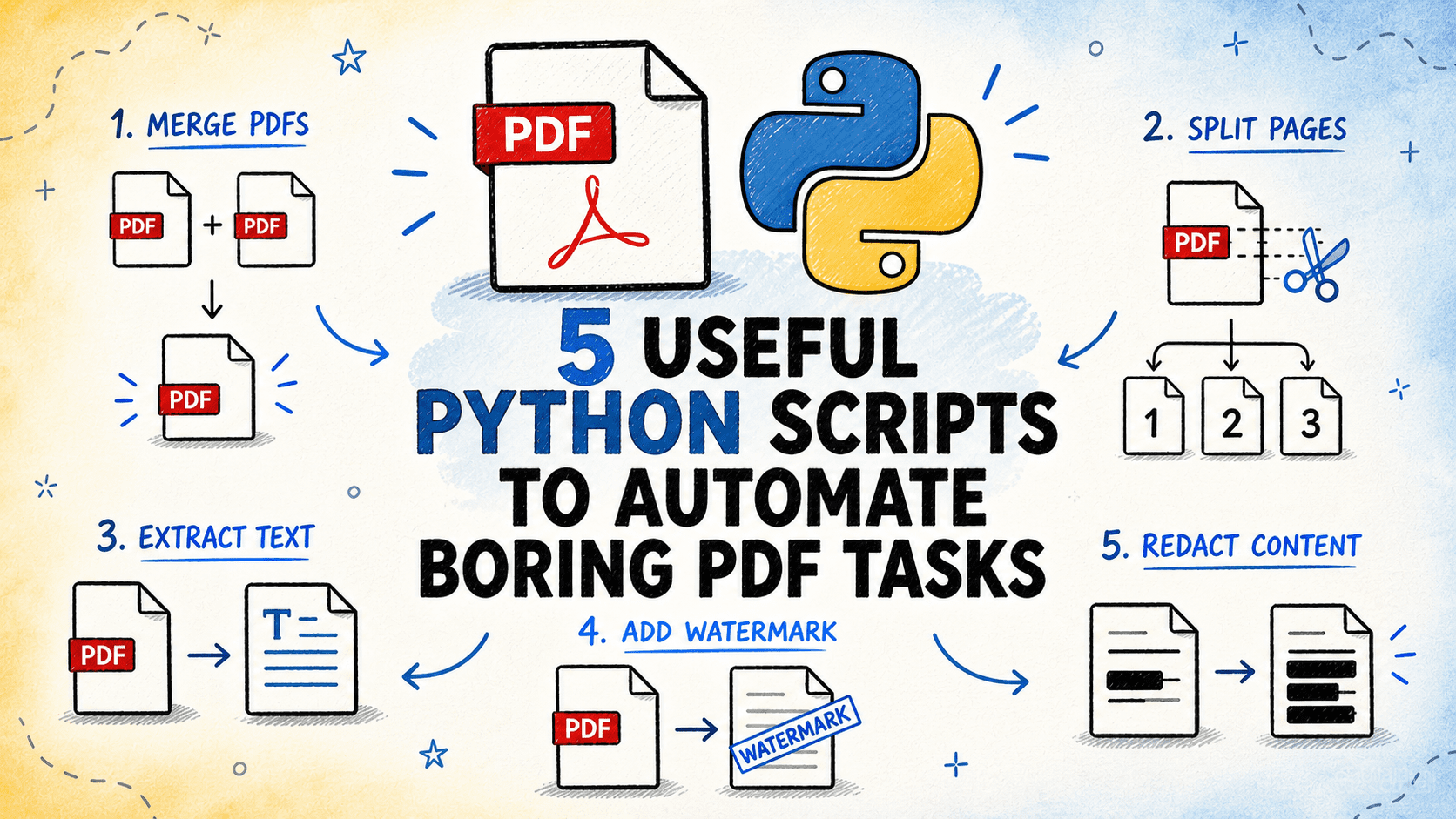
PDF files are a staple in various professional and personal workflows due to their versatility and fixed formatting. However, managing them can become cumbersome, especially when tasks such as merging reports, splitting large files, extracting text or tables, adding watermarks, or redacting sensitive content are involved. Performing these tasks manually for multiple files can be time-consuming and prone to errors. Fortunately, Python scripts offer an efficient solution by automating these processes. In this article, we delve into five Python scripts designed to streamline these common PDF tasks, enhancing productivity and accuracy. All scripts are available on GitHub.
1. Merge and Split PDF Files
The Challenge
Combining multiple PDF files into one or splitting a large PDF into separate files by page range are frequent requirements across many sectors. Doing this manually, particularly with numerous files or extensive documents, can be laborious and error-prone.
Script Functionality
This script merges a folder of PDF files into a single output file in a configurable order or splits a single PDF into files based on specified page ranges, every N pages, or specific page numbers. Both operations are controlled by a mode indicator within the same script.
Operational Details
Utilizing pypdf for page-level operations, this script reads all PDFs in an input folder, sorts them by file name (or a custom order defined in a text file), and writes them sequentially into a single output PDF in merge mode. In split mode, it accepts either a list of page ranges, a fixed block size, or a list of page numbers to split on. Each segment is outputted as a numbered file, with the first input file’s metadata preserved during merging.
⏩ Get the PDF Merge and Split Script
2. Extracting Text and Tables from PDF
The Challenge
Extracting usable data from PDFs, such as text from reports or tabular data from statements, is a prerequisite for further processing. Manual extraction is impractical for lengthy documents, often resulting in messy outputs.
Script Functionality
The script extracts text and tables from one or more PDF files, outputting the results to structured files. Text is saved in plain text or markdown format, while tables are exported as CSV or Excel files, with each table found on a separate sheet. The script supports both text-based PDFs and layout-preserving extraction.
Operational Details
Employing pypdf for basic text extraction and pdfplumber for layout-aware table detection, this script processes each input file page by page. It extracts text blocks and identifies table regions using pdfplumber’s table finder. Extracted tables are normalized and saved to separate output files. A summary report highlights the number of pages and tables found in each file, noting any pages with unsuccessful extraction.
⏩ Get the PDF Text and Table Extraction Script
3. Stamping, Watermarking, and Adding Page Numbers
The Challenge
Applying watermarks, stamps, or page numbers to PDFs before distribution can be tedious when processed individually through a GUI. Automating this task is essential for large batches or frequent needs.
Script Functionality
This script applies a text or image stamp to each page of one or more PDF files, supporting diagonal watermarks, header/footer text, page numbers, and image overlays. Users can configure position, font size, opacity, and color, processing entire files in batches.
Operational Details
Using pypdf for page manipulation and reportlab to generate the buffer layer, the script creates a single-page buffer PDF in memory for each input PDF. It renders text or places an image at specified positions and merges this buffer onto each page using pypdf’s page merge. The result is outputted as a new file, preserving the original. Page numbers are uniquely generated per page.
⏩ Get the PDF Marker Script
4. Writing Sensitive Content
The Challenge
Sharing PDFs externally often requires redacting sensitive information such as personal identifiers or financial data. Manually obscuring text with black boxes is insufficient and impractical for more than a few pages.
Script Functionality
The script scans PDF pages for text matching user-defined patterns (regular expressions, exact strings, or predefined categories) and permanently removes the content by replacing it with black rectangles, ensuring the underlying text is deleted.
Operational Details
Utilizing pymupdf, this script searches for text matches, marks them with redaction annotations, and applies these to remove the text from the page’s content flow. A report details each deletion, including page number, pre-redaction text, and triggering pattern.
⏩ Get the PDF Writing Script
5. Extract Metadata and Generate PDF Inventory
The Challenge
Managing a large collection of PDF files often requires basic information such as page count, file size, creation date, and text presence. Manually acquiring this information is inefficient.
Script Functionality
This script scans a folder of PDF files, extracting metadata like page count, file size, creation/modification dates, author, producer, encryption status, and text or image content presence. It writes this data into a comprehensive CSV or Excel inventory file.
Operational Details
Using pypdf to access document metadata and pdfplumber to sample text content, the script attempts to open each PDF, extracting standard metadata fields. It assesses text presence in the initial pages and reports on encrypted files that cannot be opened. The output inventory provides a detailed overview, including totals and averages.
⏩ Get the PDF Inventory Script
Conclusion
These five Python scripts are invaluable tools for automating tedious PDF tasks, such as file splitting, content extraction, batch processing, and document cleanup. Each script is crafted to operate securely on single files or entire folders, producing new outputs while preserving the originals. Begin with a small batch to ensure accuracy, then scale up as needed. Setup primarily involves installing dependencies and configuring file paths and settings.
Bala Priya C is an Indian developer and technical writer with expertise in mathematics, programming, data science, and content creation. Her interests include DevOps, data science, and natural language processing. She is committed to sharing knowledge with the developer community through tutorials, guides, and opinion pieces. Bala also creates engaging resource overviews and coding tutorials.
For further details, visit the original source here.
“`

