


Google’s Gemini App for macOS: New iMessage Integration Unveiled
Google has rolled out a significant update to the Gemini app for macOS, introducing local iMessage integration. This development follows Gemini’s recent debut on Windows, expanding its cross-platform functionality.
Enhanced Messaging Capabilities
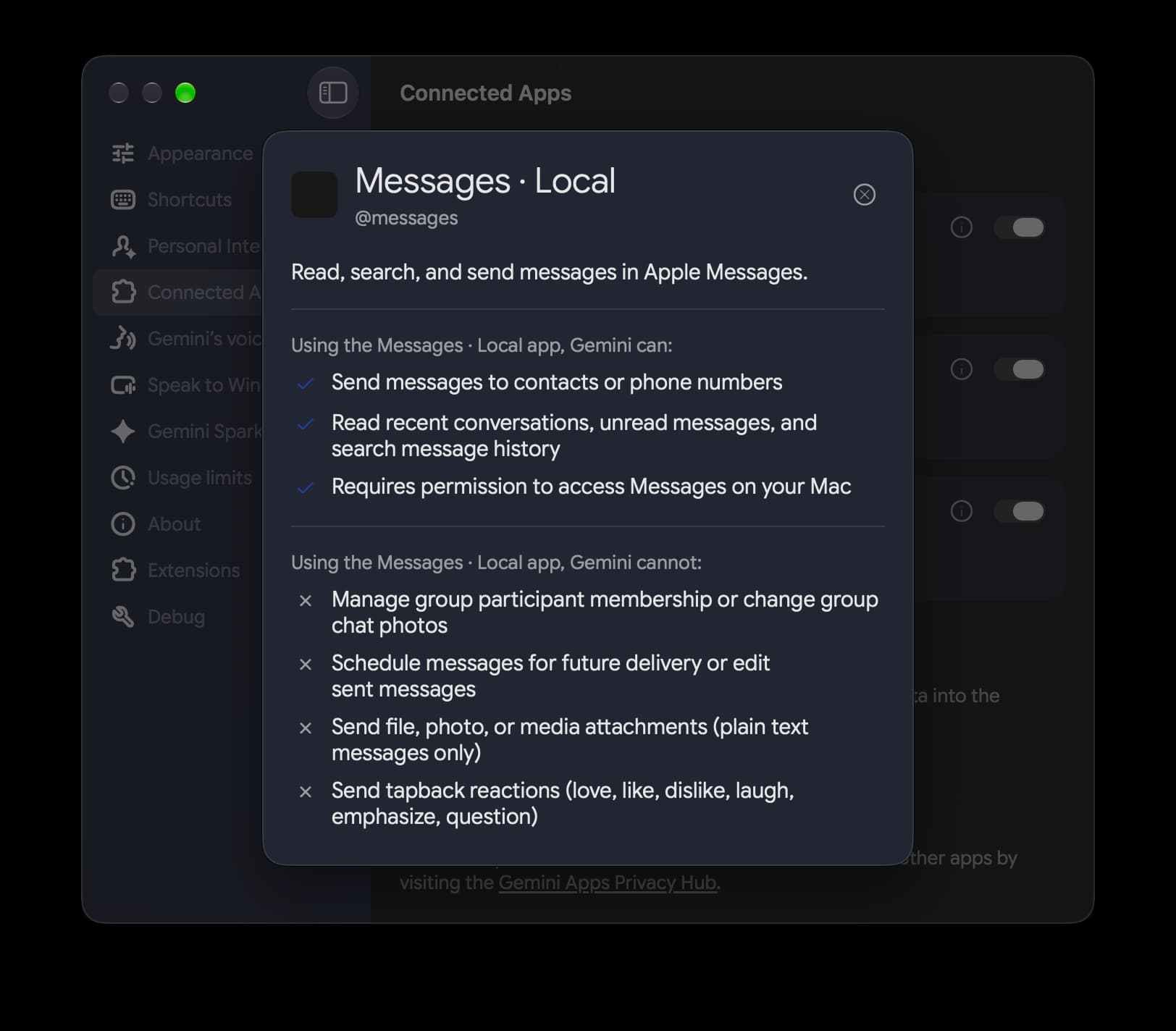
Gemini’s latest feature on the Mac is its integration with Apple’s iMessage through the Connected App feature. This functionality allows users to:
- Send messages directly to contacts or phone numbers.
- Access recent conversations, view unread messages, and search through message history.
This new capability enhances user experience by allowing quick access to conversational context. For instance, users can utilize prompts such as:
- Send a message to John: “Running 5 minutes late!”
- Show my recent messages from Sarah
- Search Messages for dinner reservations
Limitations and Future Prospects
Despite its promising features, Gemini’s iMessage integration has some limitations:
- It cannot manage group participant membership or alter group chat photos.
- Scheduling messages for future delivery or editing sent messages is not supported.
- Sending file, photo, or media attachments is restricted to plain text messages only.
- Tapback reactions (such as love, like, dislike, etc.) are not supported.
- It does not generate photos or images within automated task workflows.
This feature appears in the Settings > Connected Apps section after updating to version 1.116.5.889 of Gemini for macOS. However, a server-side component is currently missing, rendering @messages unrecognized in the prompt box as of this afternoon.
Additional Features and Improvements
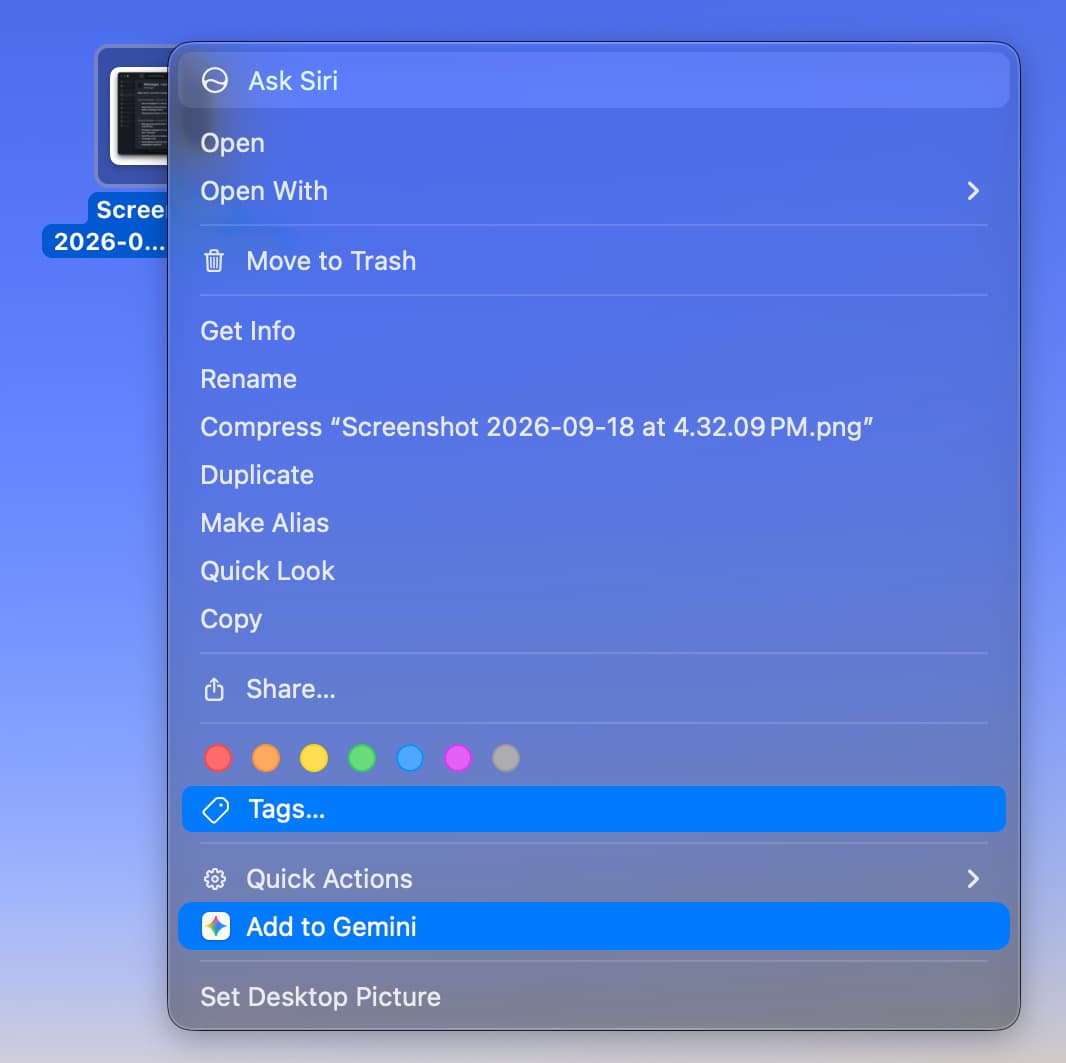
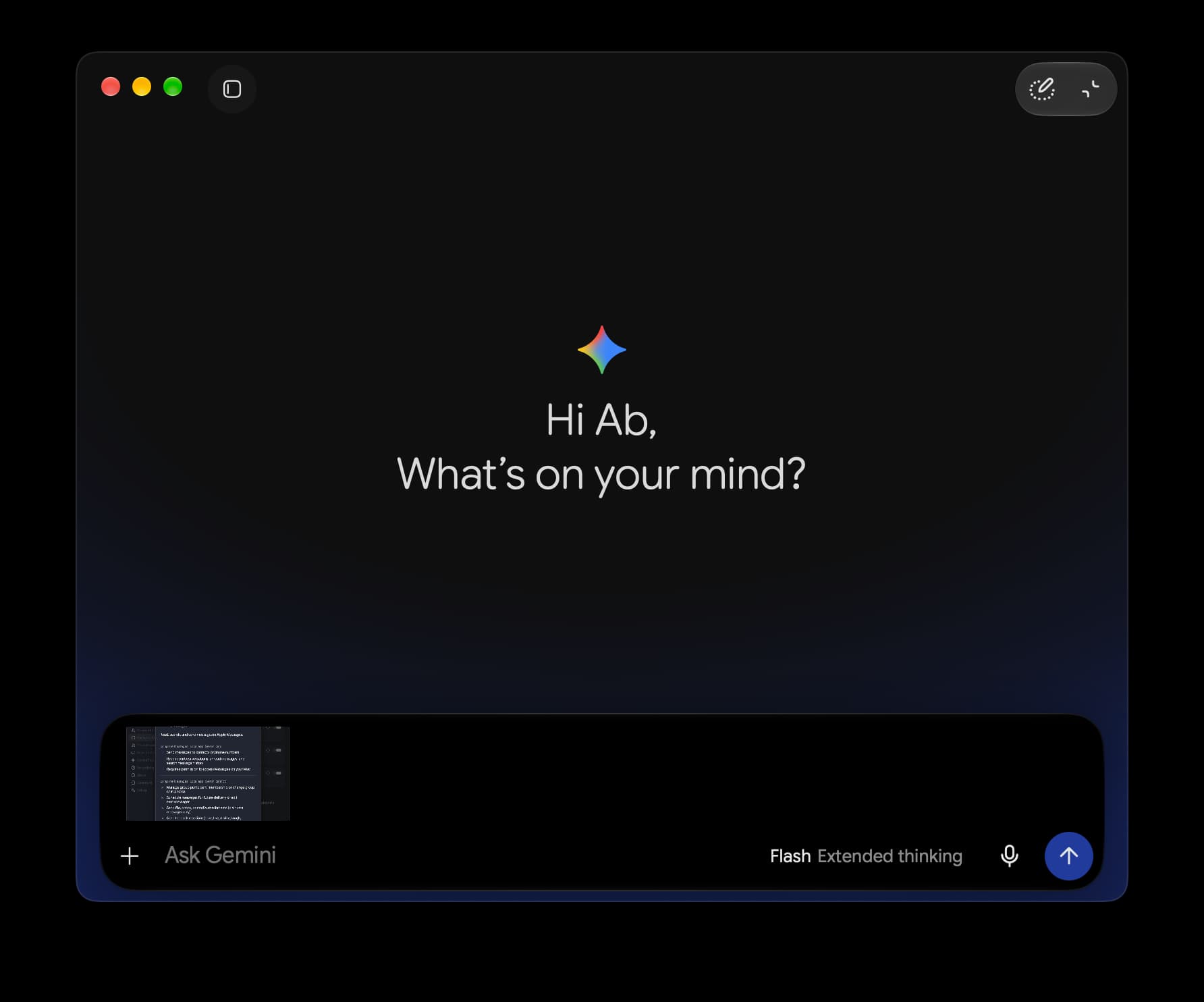
Recent updates to Gemini for macOS include a File Providers extension, allowing users to add files to Gemini directly from Finder. Google has also enhanced the side panel by adding Images, Videos, and a Daily Brief feature.
More on Gemini App
The continued evolution of Gemini is a testament to Google’s commitment to enhancing user experience across platforms, offering seamless integration and innovative features. As the app develops, it promises to bring even more functionalities that cater to diverse user needs, making it a valuable tool for both personal and professional use.
For more details on the Gemini app and its latest features, visit the source: Here
“`
