



Like many of us these days, I often have Claude Code running on some task or another while I’m doing other things. It’s not quite my whole workflow (yet), but I’m enjoying seeing what it can do and vibe coding a few little bits and pieces that I haven’t found another program to do. Claude Design is my fav new thing, because my design skills are non-existent, even if I can describe what I want fairly well.
I’ve also been experimenting with multi-agent workflows, where Claude handles tasks on its own until it needs my input, which has given me another problem to solve. I’d rather answer those questions quickly, so the agents can get back to work, but I don’t want to be constantly watching the terminal window. And now I don’t, because I found a tool that gives Claude Code (or most other agentic IDEs) notification sound effects from some of the games from my youth, and it’s honestly the best thing.
Claude Code built me a dungeon crawler in one shot, but the real work was fixing what it broke
Claude Code got 95% of the work done perfectly, but that last 5% harmed everything.
What is Peon Ping anyway?
Give your agentic IDE some nostalgic notification noises
If you’re anything like me, you’ll minimize the terminal window once you ask your LLM to go build something, and check it every so often to see if it needs input or if it’s done. Sometimes I wonder how long it’s been waiting for me to answer, and whether that delay is being written into the long-term soul of the silicon smarts, which makes me think I should reply a little bit faster in case it thinks I’m rude.
And that’s what Peon Ping helps with. It’s essentially adding audio notifications to the stopping points of any agentic coding tool, so you know when it needs your input to continue. Simple, but very effective, especially when you have a nostalgia kick from the voice pack of your choice.
By default, Peon Ping installs the following five voice packs:
- GlaDOS
- Human Peasant
- Orc Peon
- StarCraft Battlecruiser
- Sarah Kerrigan (StarCraft)
It’s set up to never repeat the same voice line twice in a row, lets you toggle categories if you don’t want notifications for some things, and sends push alerts to your desktop when you’re not focused on the terminal.
It’s quick to install
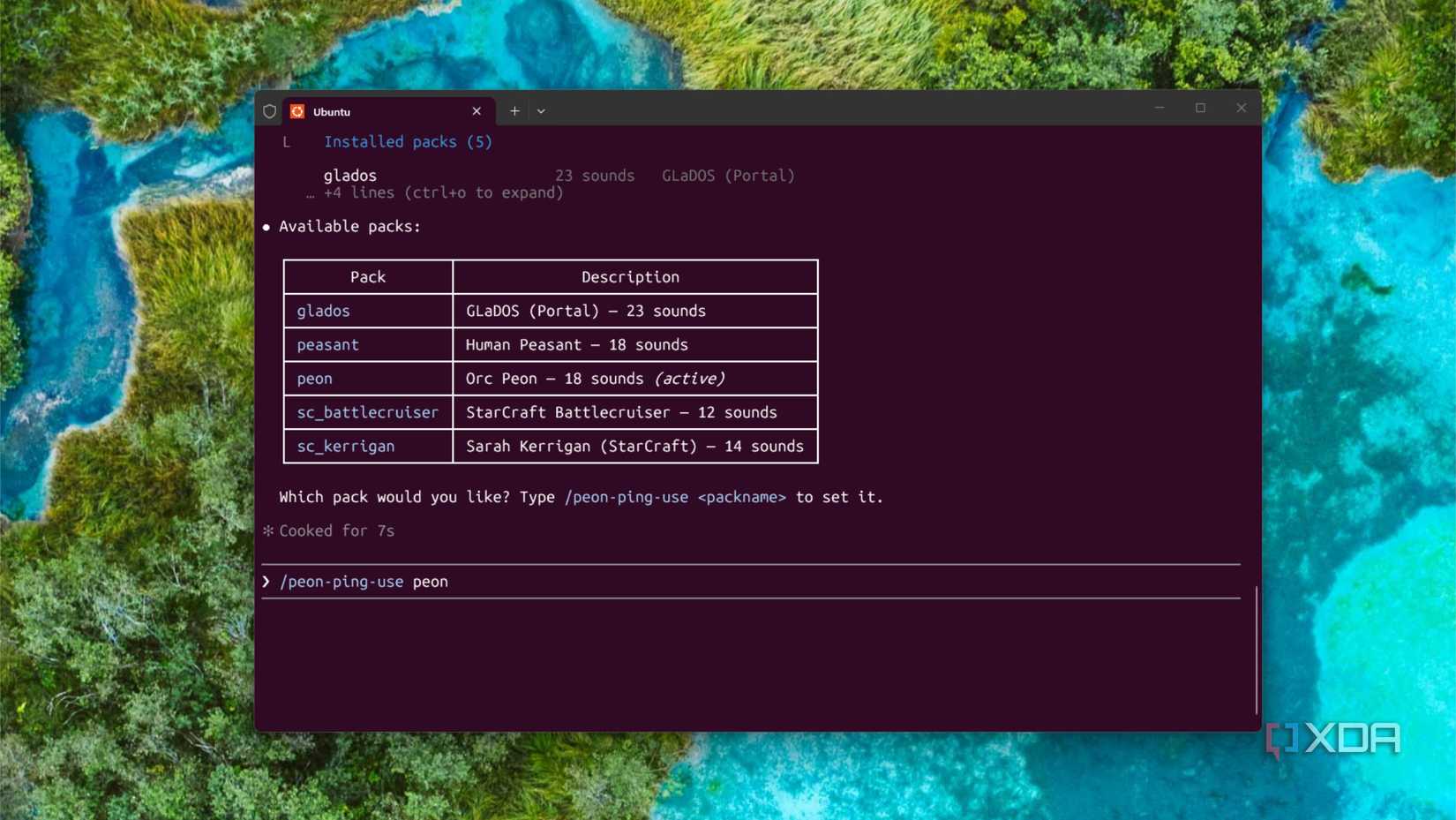
I love tools that don’t require extensive setup, and Peon Ping fits that bill. It’s a one-line install, whether you’re on Windows, macOS, or Linux, via Homebrew or curl. If you install it in WSL2, like I did, you’ll still hear sounds on the Windows side, not the Linux side. That makes things easier overall.
brew install PeonPing/tap/peon-ping
That’s it. No having to create folders or manually do anything, and now you’ve got five classic character sounds to choose from. If you don’t like those options, there are another 321 sound packs to choose from, in multiple languages. And if you still don’t like those, you can use CESP (Coding Event Sound Pack Specification) to create your own set of notification sounds.
It’s the one desktop notification I don’t mind
All the rest are muted
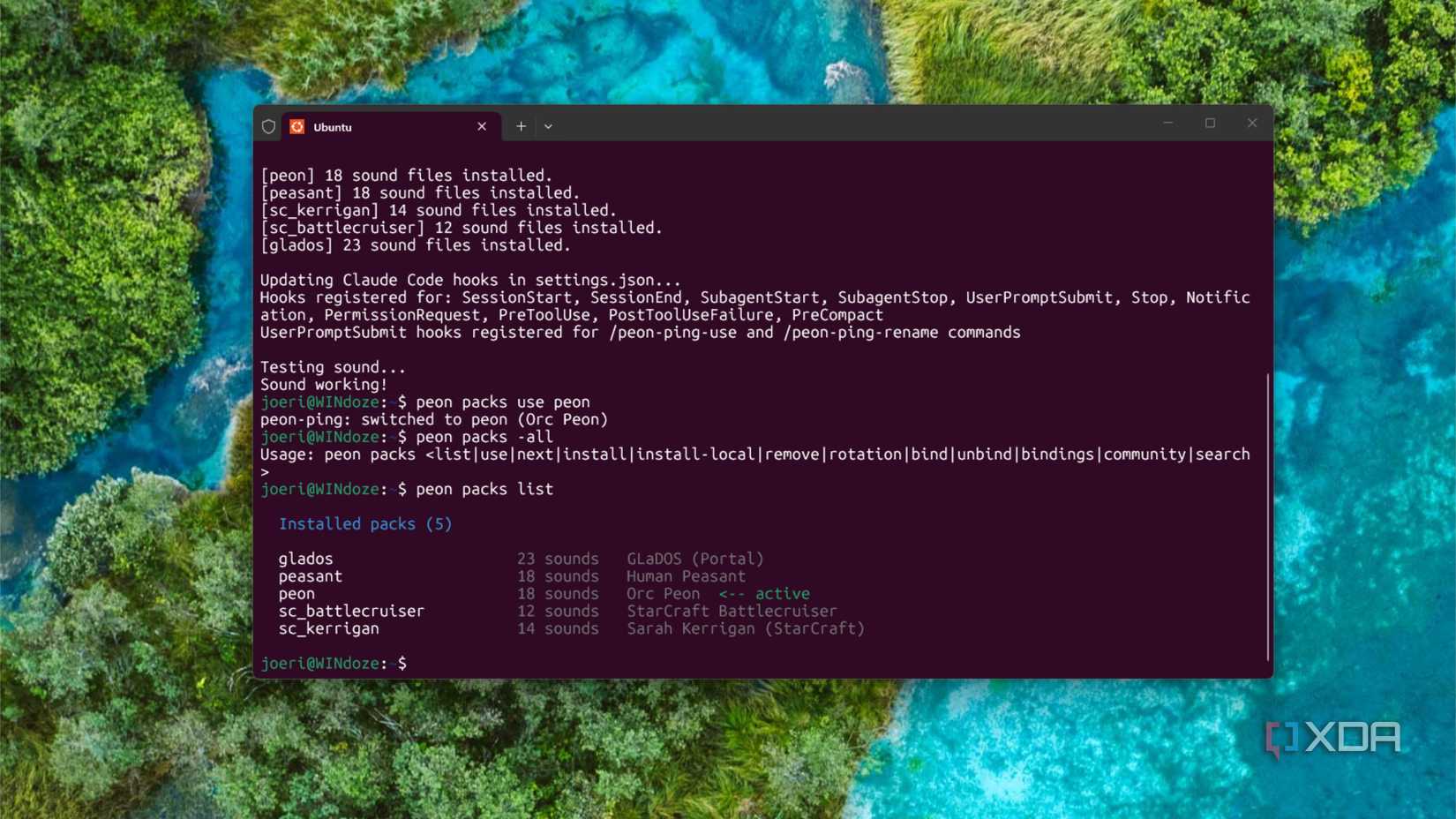
I played way too much WarCraft as a teenager, and the Horde was my preferred side. That meant the Orc Peon voice lines are irrevocably burned into memory, and it’s almost a Pavlovian response when I hear them. That’s perfect for reminding me to take action in Claude Code, and I get a silly grin when it responds with “Work, work” after I’ve added instructions or approved a change.
It’s perfect for multi-agent workflows
I’ve tried other ways of getting notifications when I need to answer questions, from Discord messages to Telegram messages. The problem with phone notifications is that I ignore them, or iOS decides I’m in a focus mode and doesn’t show them to me anyway. But I’m almost always listening to music, so a familiar audio notification does the trick wonderfully.
And it’ll notify me on every essential milestone, from a pretty good list:
Category | Description | Tier |
|---|---|---|
session.start | Session or workspace opens | core |
task.acknowledge | Tool accepted work, is processing | core |
task.complete | Work finished successfully | core |
task.error | Something failed | core |
input.required | Blocked, waiting for user input or approval | core |
resource.limit | Rate, token, or quota limit hit | core |
user.spam | User sending commands too fast | extended |
session.end | Session closes gracefully | extended |
task.progress | Long task still running | extended |
Oh, and there’s one other neat feature. The Peon Trainer will prompt you to do squats and/or push-ups, so you’re not sitting sedentary all day while your agents code. It wants you to do 300 in a day, but it’ll nicely break that up into manageable chunks before you start coding, mid-conversation, and throughout the day.
Claude Code subagents turned my solo side hustle into a small team overnight
If one AI is good, several must be better, right?
Peon Ping lets me get on with work while my agents code
I don’t want my agents to be waiting around for me, I’m by far the weak link in the workflow, and the quicker I respond, the quicker they can get back to eating tokens. Peon Ping removes some of the lag for me, letting me know when things are done or ready for my input, and I can’t deny that having classic video game sound clips as the notifications makes me irrationally happy. If you prefer your agents to have less downtime, this might be the notification system you need.
Here
“`

