


Understanding the Limitations of TV USB Ports
In today’s tech-driven world, televisions form the centerpiece of many home entertainment systems. However, while TVs have evolved significantly in terms of display technology, their USB ports often lag behind in terms of power output and compatibility. This can lead to frustration, especially when attempting to connect power-hungry peripherals like external hard drives.
A TV’s USB Port Isn’t Designed for Every Accessory
To fully grasp the issue, it’s important to recognize that not all USB ports are created equal. TV USB ports may handle simple tasks like reading files from a flash drive, but they often fall short when it comes to delivering the power needed by more demanding devices. This limitation becomes evident when connecting devices like external hard drives that require significant power, especially during startup.
Imagine trying to play your 4K Blu-ray collection from an external hard drive. You may find the drive disconnects intermittently or fails to function reliably. This happens because mechanical drives require a substantial amount of power to spin up, and a TV’s USB port often can’t meet this demand, leading to an unstable connection.
Powered USB Hubs: A Straightforward Solution
Enter powered USB hubs—a practical solution to the power limitations of your TV’s USB port. By using a hub that features its own power adapter, you can ensure that connected devices receive adequate power independently of the TV’s USB port. This setup involves connecting the powered hub to the TV’s USB port for data transfer, while the hub’s power adapter handles the power needs of your peripherals.
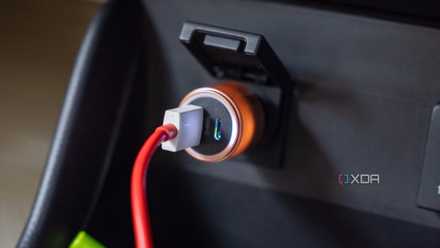
It’s crucial to distinguish a powered USB hub from a regular USB hub. While a standard hub merely distributes power from the host device (in this case, the TV), a powered hub introduces additional power into the equation, effectively alleviating the TV’s power distribution burden.
Check Compatibility First
While powered hubs can be a game-changer, it’s important to ensure compatibility with your TV and the devices you intend to connect. Most modern TVs come with a single USB 3.0 port, which can limit your ability to connect multiple devices simultaneously. A powered hub can expand your options, but remember that the TV must still support each device you connect.
Additionally, consider the file systems of external drives, as TVs may not support all formats without additional setup. For non-USB accessories, like streaming sticks that connect via HDMI, a powered USB hub won’t suffice; instead, use a dedicated wall-powered adapter.

A Powered USB Hub is the Easiest Fix for an Underpowered TV Port
Ultimately, a TV’s USB port isn’t always equipped to handle every accessory you wish to connect. While this may seem frustrating, it doesn’t mean you need to replace your TV or endure endless troubleshooting. A powered USB hub can provide the extra power necessary for compatible devices, while also offering additional USB connections for a more organized setup.
The key lies in accurately diagnosing the problem. If power insufficiency is the issue, a powered hub is a worthwhile investment. However, if the problem stems from unsupported devices or connections, a hub won’t resolve it. As a rule of thumb, if you’re experiencing USB disconnections, consider a powered hub as your first line of defense.
For more insights, you can visit the source article.
“`
