



Understanding the Impact of Resizable BAR on Gaming Performance
In the gaming world, every frame per second (FPS) counts. Back in late 2020 and early 2021, Nvidia and AMD introduced technologies known as Resizable BAR (ReBAR) and Smart Access Memory (SAM) to optimize gaming performance. Despite being part of the PCIe standard since the late 2000s, these features were largely unused until the formal rollout with AMD’s RX 6000 series and Nvidia’s RTX 30 series. ReBAR doesn’t increase your GPU’s raw power but instead optimizes VRAM usage and CPU-GPU communication, ensuring gaming performance isn’t hindered. Yet, even five years on, many gamers remain unaware of its benefits or that it might be disabled on their systems.
Resizable BAR Allows Your GPU to Run at Its Full Potential
The “BAR” in Resizable BAR stands for “Base Address Register,” which is crucial in how your CPU accesses the GPU’s VRAM. Previously, CPUs could only issue draw calls to the GPU in 256MB chunks, a significant bottleneck for modern games requiring large data transfers. ReBAR removes this limitation, allowing CPUs to access the entire VRAM at once, thus improving average framerates, reducing stutters, and providing smoother gameplay. AMD introduced SAM with the RX 6000 series in 2020, and Nvidia followed with ReBAR on the RTX 30 series in early 2021.
For most systems with Ryzen 3000, Intel Core 10th Gen, or newer CPUs, paired with RTX 30, RX 6000, or newer GPUs, enabling ReBAR is a simple process. It involves activating the feature in your UEFI (Unified Extensible Firmware Interface) and confirming its activation in the respective GPU management software. While not all games fully support ReBAR, those that do can significantly benefit from this free performance boost.
Personal Experience with Resizable BAR
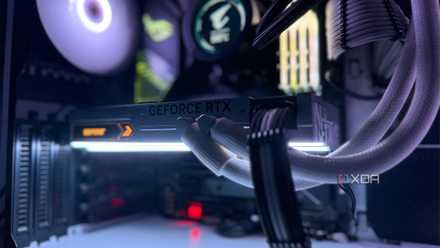
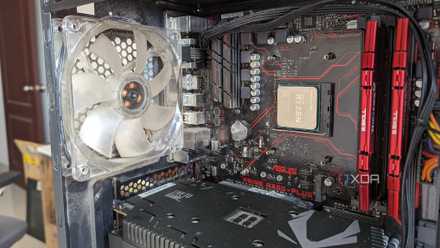
When I first built my RTX 3080 system in 2022, I assumed ReBAR was enabled. My BIOS and GPU firmware were up-to-date, and I didn’t question my system’s performance. However, it wasn’t until I considered upgrading to Windows 11 that I discovered my SSD was partitioned in MBR format, which meant I was using legacy BIOS. After converting my SSD to GPT, updating to UEFI, and enabling ReBAR and 4G Decoding, I noticed a tangible FPS boost. The difference, while not staggering, was noticeable, particularly in demanding titles like Cyberpunk 2077 and Microsoft Flight Simulator.
Real-World Benefits of Enabling ReBAR
Upon enabling ReBAR, I observed up to a 10% improvement in average FPS across several titles, including Cyberpunk 2077, Forza Horizon 5, and Dying Light 2. Although these gains might seem modest, the smoother gameplay and improved 1% lows were noticeable, particularly when transitioning from sub-60 to 60+ FPS. Below is a summary of the FPS improvements I recorded:
RTX 3080 + Ryzen 7 5700X @ 1440p | Avg. FPS without ReBAR | Avg. FPS with ReBAR |
Cyberpunk 2077 | 62 | 67 |
Forza Horizon 6 | 93 | 102 |
007 First Light | 56 | 62 |
It’s important to note that not every game will show measurable improvements with ReBAR enabled, but those that do will benefit from reduced stuttering and better overall performance. Modern UEFI settings usually have ReBAR enabled by default, but verifying its status is always a good idea. Avoid forcing ReBAR on unsupported titles, as this can lead to performance issues.
Conclusion: Resizable BAR is a Hidden Gem
Resizable BAR is a subtle but impactful feature that can hide in the background of your gaming PC. Unlike more prominent tweaks like overclocking, it quietly ensures you aren’t missing out on potential performance gains. By simply confirming its activation, you can unlock extra FPS at no cost. For more information on how disabling ReBAR can impact your GPU performance, you can check out the source link Here.
“`

