



Microsoft Teams’ Together Mode is Going Away on June 30th
Gallery Mode Will Be Its Main Replacement
Back in July 2020, Microsoft introduced Together mode in Teams to enhance the remote working experience for companies transitioning to online collaboration due to the global pandemic. This innovative feature transformed the traditional grid of webcam feeds into dynamic scenes, such as virtual theaters or conference rooms, to create a sense of presence and togetherness among participants.
However, as the world has evolved, so too has the approach to virtual meetings. Microsoft has announced that Together mode will be removed from Microsoft Teams on June 30th, just shy of its sixth anniversary. This decision is part of a broader strategy to streamline user interfaces and improve overall video quality.
As detailed in an announcement on the Microsoft Tech Community website, Together mode will no longer appear in the View menu. Consequently, all associated scenes, custom scenes, and seat assignments will be phased out. Microsoft advises users who utilized Together mode for custom branding to switch to backgrounds instead.
Why Microsoft is Phasing Out Together Mode
The move to retire Together mode stems from Microsoft’s goal to reduce cognitive load and implementation complexity by consolidating multiple viewing modes, including Gallery, Large Gallery, and dynamic views. By focusing on Gallery mode, Microsoft aims to deliver a more consistent experience across devices and enhance video quality through client-optimized rendering.
- Simplify the meeting interface and deliver a more consistent experience across devices.
- Deliver higher and more stable video quality across meetings by focusing on client-optimized rendering.
- Free up service capacity that can be reinvested into foundational video improvements, such as super-resolution, denoising, and improved color accuracy.
These improvements are highly anticipated by users who have been requesting enhanced video features. As such, if your business relies on Together mode, now is the time to transition to Gallery mode in preparation for the change.
For more information, you can visit the source.
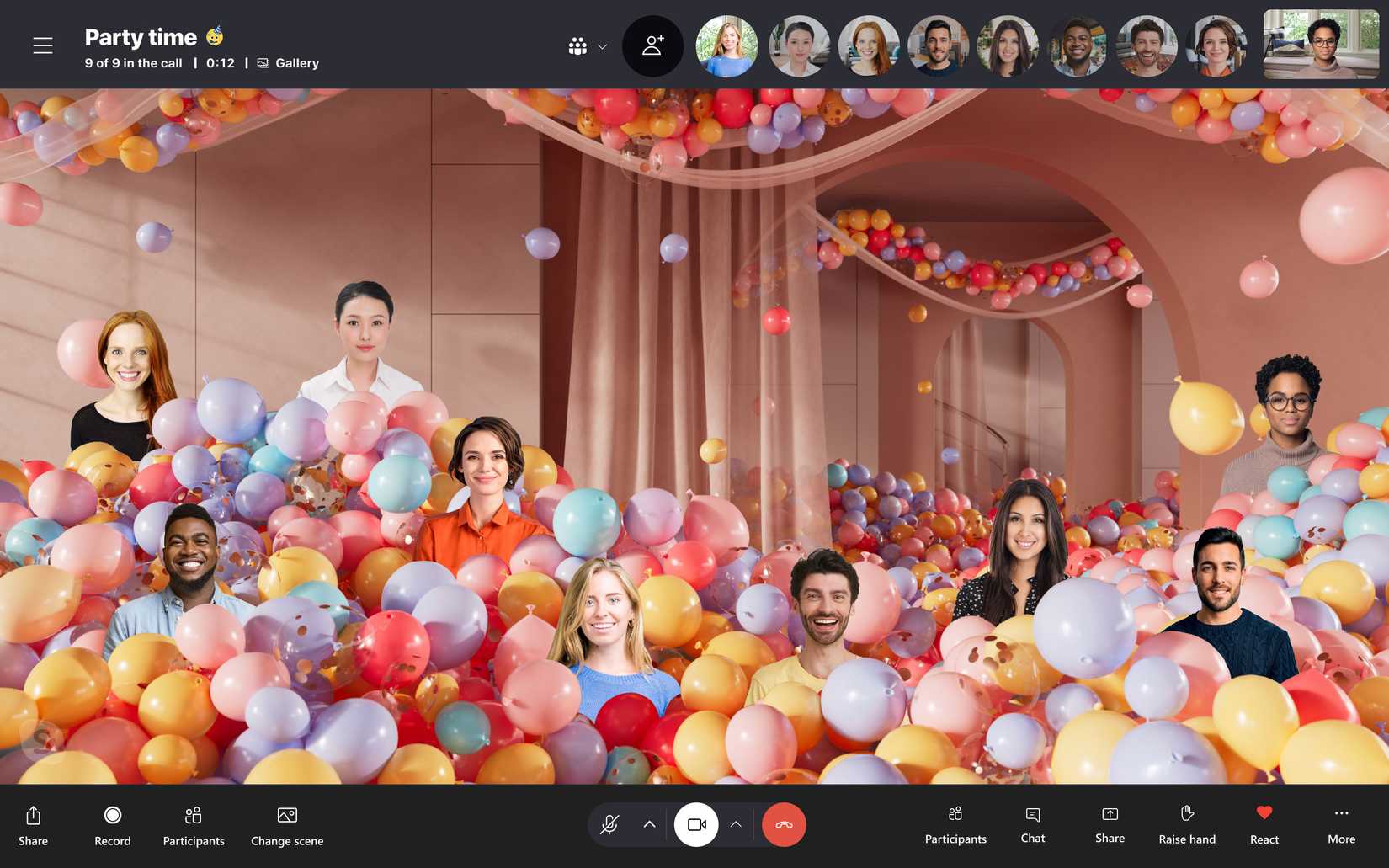
Together Mode in Skype | Image credit: Skype
“`

